

Get your sign
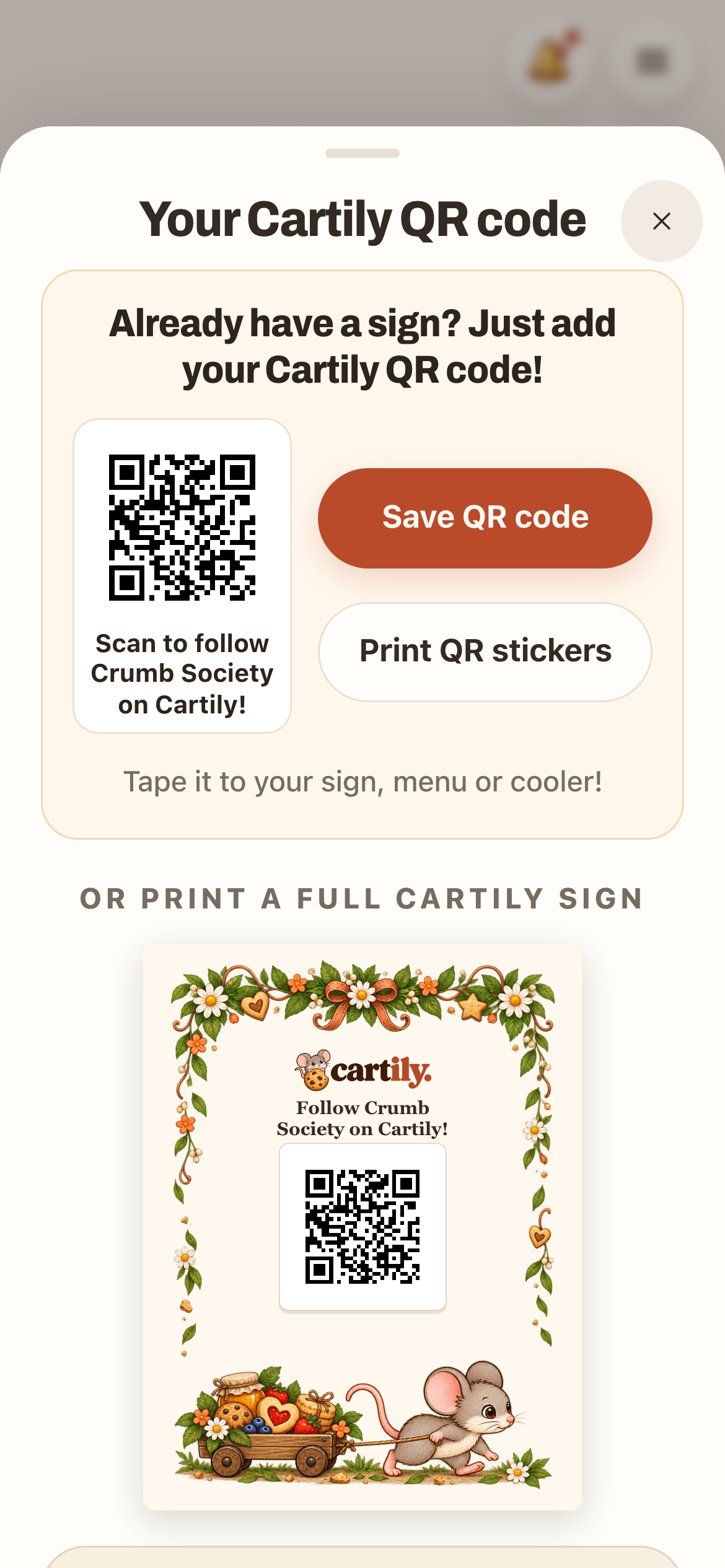
Open My shop and tap Signs & QR. You can:
- Print a full Cartily sign: pick a design and print it at Letter or 5×7 size.
- Print QR stickers: small codes for your packaging, menu or cooler.
- Save QR code: the code by itself, if you already have a sign and want to add it.
Your code is permanent and belongs to your shop. Renaming your shop doesn't break a printed sign.
A QR sticker on packaging can help someone open your shop page later. A visit stamp still requires a scan at the cart, within the scan range and while the shop is open if you've set hours.
Put it where people can scan it
Put the sign right at the cart, where shoppers stop, at a height they can reach with a phone. Keep it flat and well lit. A clear sleeve or frame protects a paper print outside. Test it after, because glare and wrinkles can make a code hard to scan.
If you have a punch card, your printed sign can show it, for example 7 visits = $1 off a cookie.
What happens when someone scans
On iPhone, shoppers tap Scan in Cartily. On Android, they point their camera at the sign. If they're at your cart, and your shop is open if you've set hours, they get a stamp. One stamp per shopper a day.
You'll see your weekly scans in your Shop quests. Shoppers who haven't seen a sign out can tap Ask for their sign, and you'll get a note: "wants to scan your sign! Print yours ›".
Scanning your own sign
Scanning your own sign doesn't give you a stamp. It does one thing: the first time you set up a punch card, scanning your sign at the cart turns it on. See Set up a Cartily punch card.
No printer?
Your shop can still be found and followed without a sign. Print from Signs & QR when you can. Most libraries and print shops can print a Letter page.