

Choose a reward you can keep offering
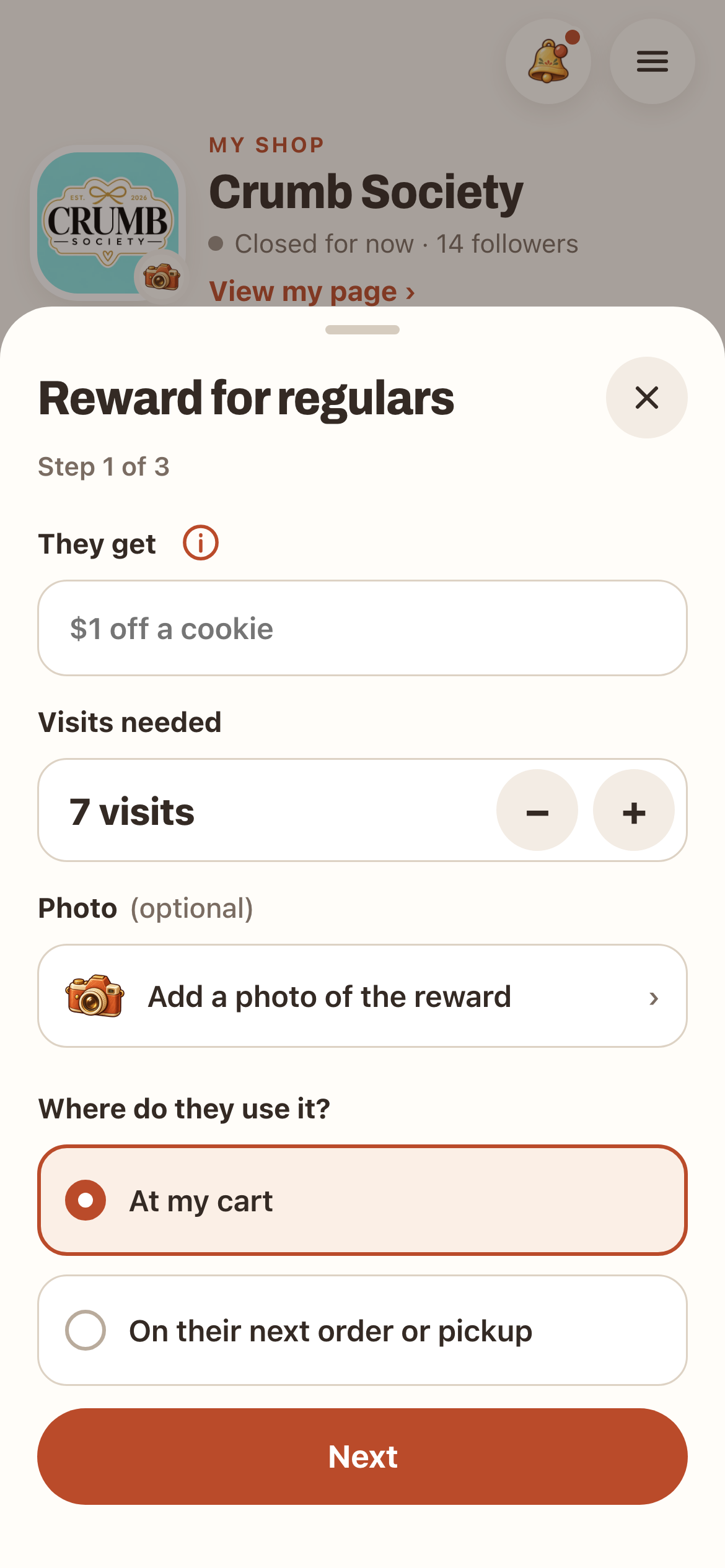
Pick something that feels generous to a regular and still works for you. Rewards that come with a purchase work best, like $1 off. Keep it clear, so a shopper knows exactly what they're working toward.
Cards take 5 to 10 visits and start at 7. A shorter card suits a cart that's out once a week; a longer one suits a cart that's out every day.
Set it up
- Open My shop and find Reward for regulars. Tap Set up.
- They get: what the shopper gets, up to 60 characters, like "$1 off a cookie".
- Visits needed: 5 to 10.
- Photo (optional): add a photo of the reward.
- Where do they use it? At my cart, or On their next order or pickup.
- Tap Next, then print your sign. Your sign shows the reward line. If you already have one out, tap I already have one.
- Turn it on: go to your cart and scan your own posted sign once. Your card stays off until you do. You'll see Your punch card is live!
How shoppers use it
Shoppers scan your sign each visit for a stamp, one a day. When their card is full, they tap Use reward at your cart. Cartily checks they're at the cart, then shows a green Redeemed! screen for 10 minutes, and they take their reward.
If you chose next order or pickup, they use it when they pick up their order.
You get a phone alert when someone uses a reward. Turn it on in Me → Notifications → Your shop → Rewards used.
Keep an eye on it
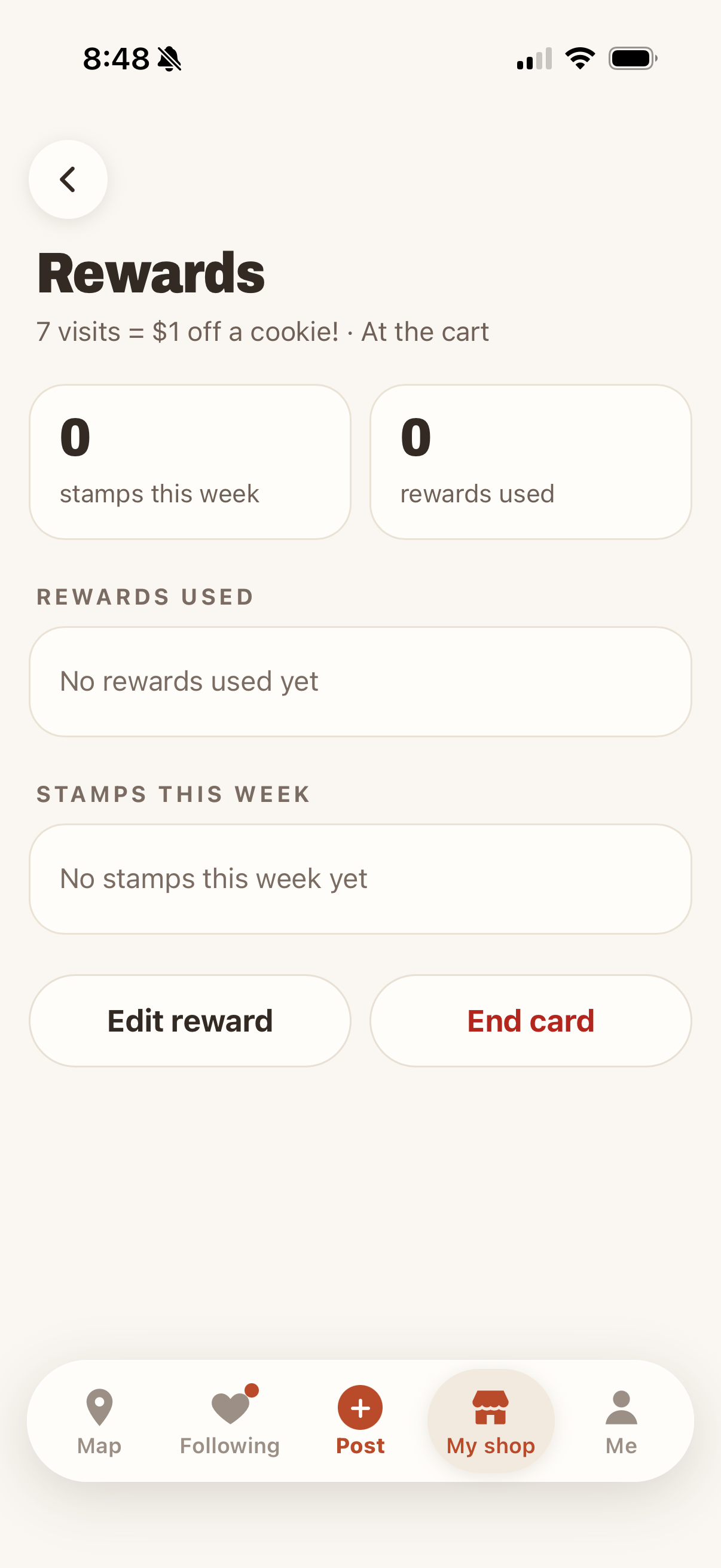
Back in My shop, Reward for regulars now has a Rewards button. The Rewards page shows this week's stamps and the rewards used.
- That wasn't right flags a reward that looks wrong.
- Remove takes back a stamp, and you can undo it.
- The ⋯ menu blocks a person from your card.
- Edit reward changes the reward or visit count. Shoppers keep the stamps they have.
- End card stops new stamps. Full cards can still be used for 30 days.
Cartily doesn't take orders or payments for you. A punch card is a thank-you, not a promise that an item will always be in stock.