

See your town's progress
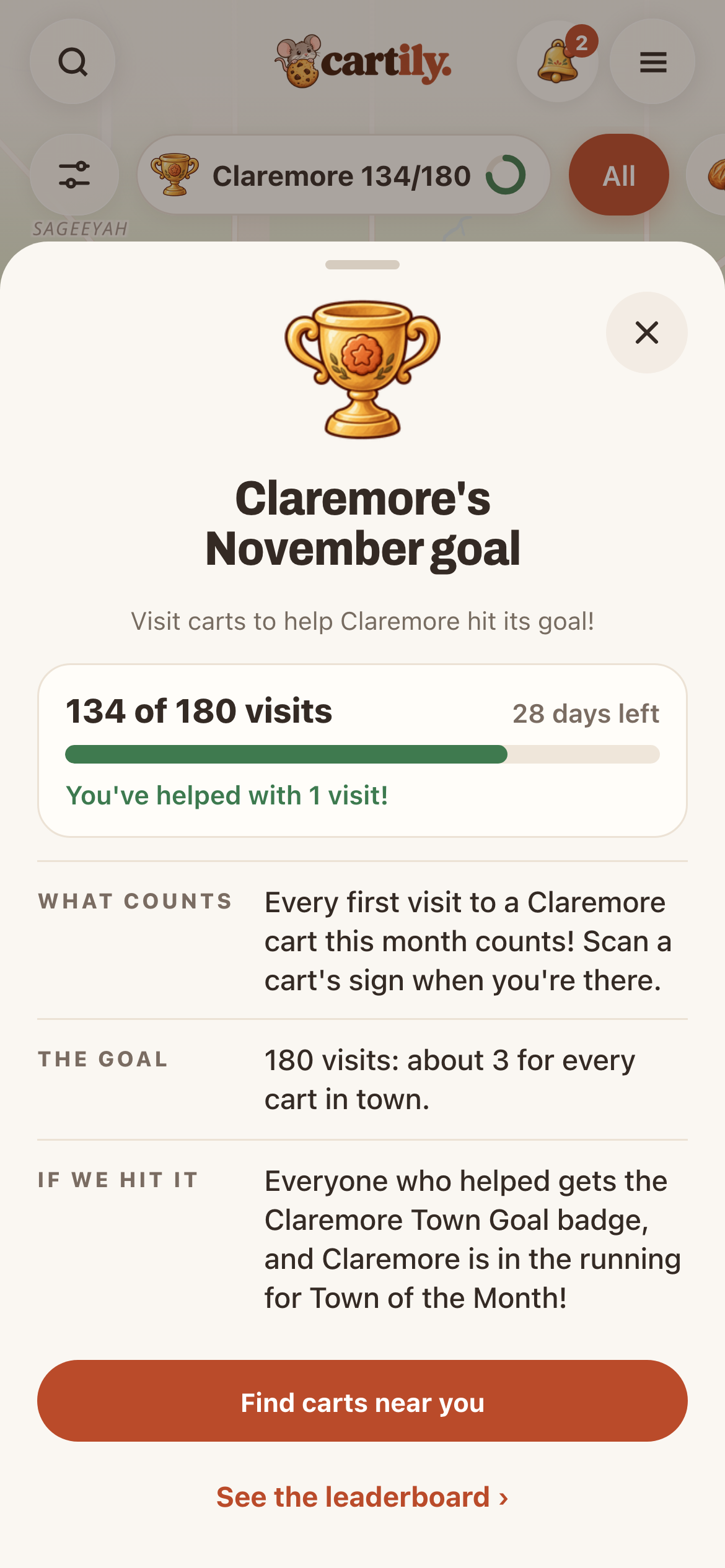
The trophy chip at the top of the map shows your town and its progress, for example Claremore 133/180. Tap it to see:
- how many visits so far, and how many days are left
- how many visits you've helped with
- what counts, and what happens if the town hits the goal
Tap See the leaderboard › to see the town's top cart hoppers this month. You choose whether you show up there with the Show me on town boards switch.
What counts
Your first visit to each cart in town this month counts. Scan the cart's sign while you're there: on iPhone, tap Scan in Cartily; on Android, point your camera at the sign. When a visit counts, the Stamped! screen says +1 for your town!
Going back to the same cart that month still adds a stamp to its punch card, but it doesn't add to the town goal again. Visiting a different cart does.
If the town hits its goal
- Everyone who helped gets that month's Town Goal badge.
- Every shop in town that had a visit gets a free Featured day.
- The town is in the running for Town of the Month.
Start with a cart you haven't tried
Open the map or Near you, pick a cart you've been curious about, and check its hours and pickup details first. Some carts are only out for a few hours or sell out early.